UI/UX and CSS
CSS Grid vs. Flexbox: Practical Examples
By Abid Ali · Published · Updated
Flexbox lays out one row or column. Grid lays out rows and columns together. Here is how to choose, using a soundboard and a wrapping chip row.
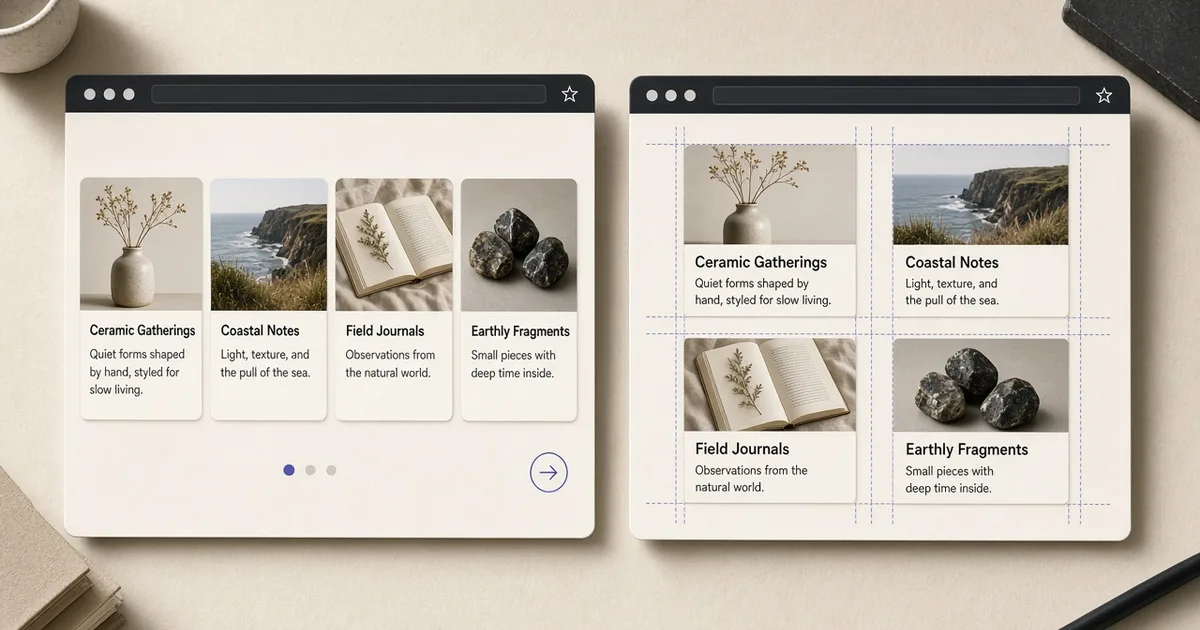
The useful version of css grid vs flexbox is not a feature chart. It is two questions. Is this layout one line of items, or is it a set of rows and columns? Flexbox answers the first. Grid answers the second.
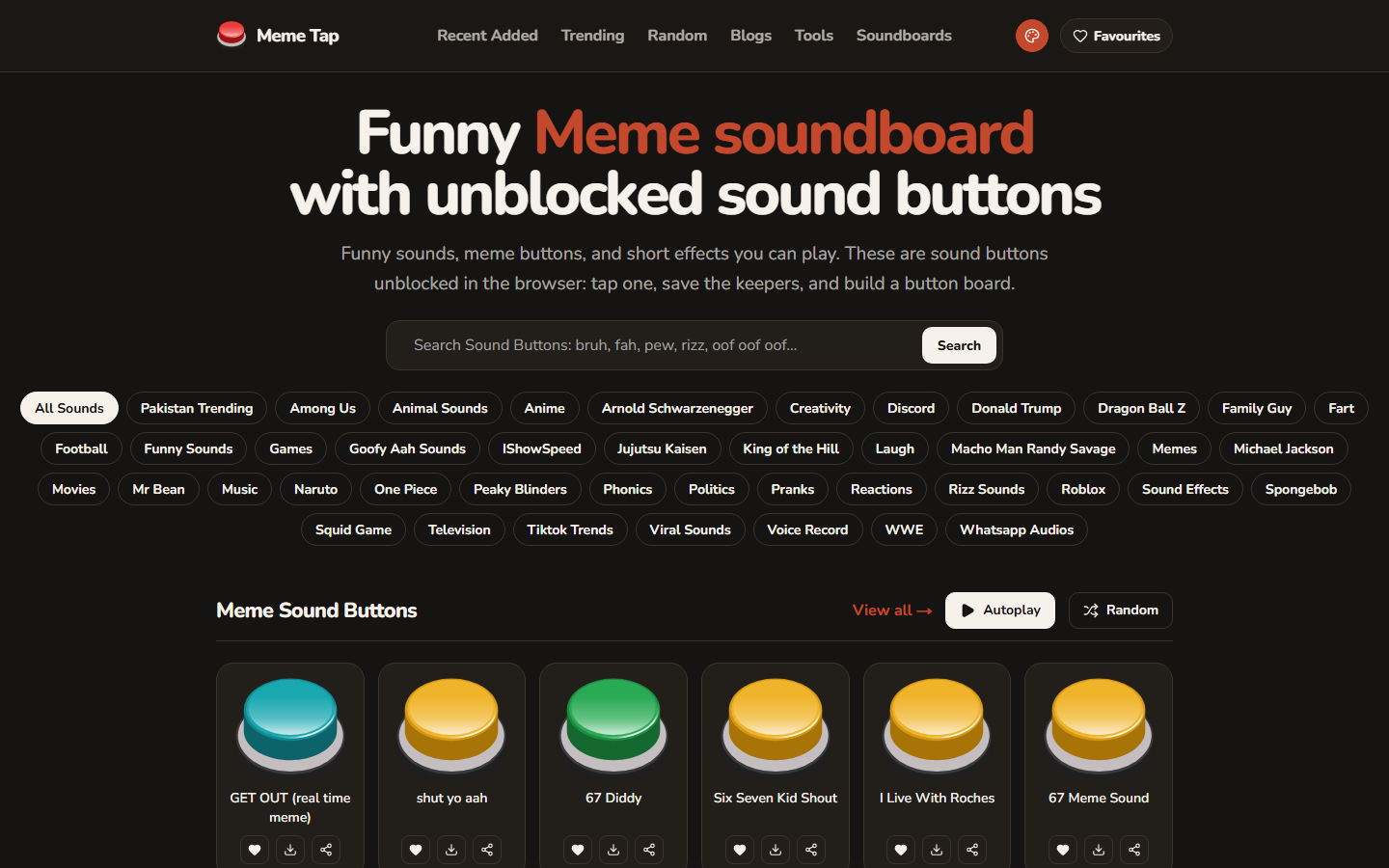
Meme Tap makes both visible on one screen. Category chips sit in a row and wrap when the row runs out of room. Sound buttons sit in a gallery: equal tracks, several columns on a wide screen, one column on a phone.
When to use flexbox
Use flexbox when the items follow each other in one direction. A chip row, a toolbar, a button and its icon, a navbar. The main axis is either horizontal or vertical. Wrapping is allowed, but there is no second axis to design on purpose.
.chips {
  display: flex;
  flex-wrap: wrap;
  gap: 0.5rem;
}
gap replaces margin hacks. align-items: center lines up a label and an icon without extra wrappers. flex: 1 on one child makes that child take the leftover space, which is the right tool for a search field beside a button.
This is when to use flexbox: the design is a sequence. If you remove an item, the others close the gap. You do not care that row 2 lines up with row 1, because there is no row 2 in the design. A wrapped flex row can look like a grid, and then it is the wrong tool. Wrapped chips are still a sequence. A gallery is not.
When to use CSS grid
Use CSS grid when columns and rows are both part of the design. A card gallery, a form with two fields on one row, a page with a sidebar. You name the columns. Items fall into the next cell.
.sounds {
  display: grid;
  grid-template-columns: repeat(auto-fill, minmax(10rem, 1fr));
  gap: 0.75rem;
}
auto-fill and minmax build the columns from the available width. At 320px you get one column. Wider, you get as many 10rem tracks as fit. That is a card layout css pattern that does not need a breakpoint for every device.
This is when to use css grid: you would draw lines on the design, and the lines form cells. The sound buttons on Meme Tap are cells. A definition list of label and value can be two columns. A hero with text and an image can be two tracks that collapse to one.
Choosing on a real page
Walk the page from the outside in.
- The page shell (header, main, footer) is usually a block flow, or one grid with named areas if the sidebar is real.
- A horizontal cluster inside the header is flexbox.
- A repeating gallery is grid.
- Inside each card, the title, text, and actions are block flow or a small flex column. Grid inside a card is rarely needed unless the card itself has a media track and a text track.
A portfolio filter row (All, Products, Clients, Concepts) is flexbox: one line, wrapping if needed, no shared row height. The project cards under it are grid.
Mistakes that fight the layout
- Using grid for a navbar, then fighting alignment with
justify-selfon every link. Flexbox already does that. - Using flexbox for a gallery, then setting a percentage width on every card so the columns line up. That is a grid, written the long way.
- Nesting three grids to recreate a margin.
gapon the parent is enough. - Forgetting
min-width: 0on a grid child that contains a long word or a code line. The default minimum isauto, and the track will overflow.
A short test
If you can explain the layout as "these items in a row" or "these items in a column," write flexbox. If you have to say "two columns, and the third item starts the next row under the first," write grid. The css grid vs flexbox choice is that sentence, applied to each region, not to the whole page at once.
Questions
- Can a page use both Grid and Flexbox?
- Yes. Use flexbox for a single row or column, such as a toolbar or wrapping chips, and CSS grid for a region that has rows and columns, such as a card gallery.
- Which one is better for a card layout?
- CSS grid is the usual fit for a card layout when the cards should line up in columns. Flexbox fits when the cards are one wrapping row and their widths can differ.
- Do I need a framework to use either?
- No. Both are CSS. A utility stylesheet can set the same properties, but the decision is still grid versus flex, not which library wrote the class.
Next in the reading path: How to Add Open Graph Metadata to a Next.js Website