UI/UX and CSS
A Practical Guide to Responsive Design Breakpoints
By Abid Ali · Published · Updated
Choose breakpoints where the layout breaks, not where a device chart says to. Mobile-first CSS, a fluid card grid, and the few widths worth naming.
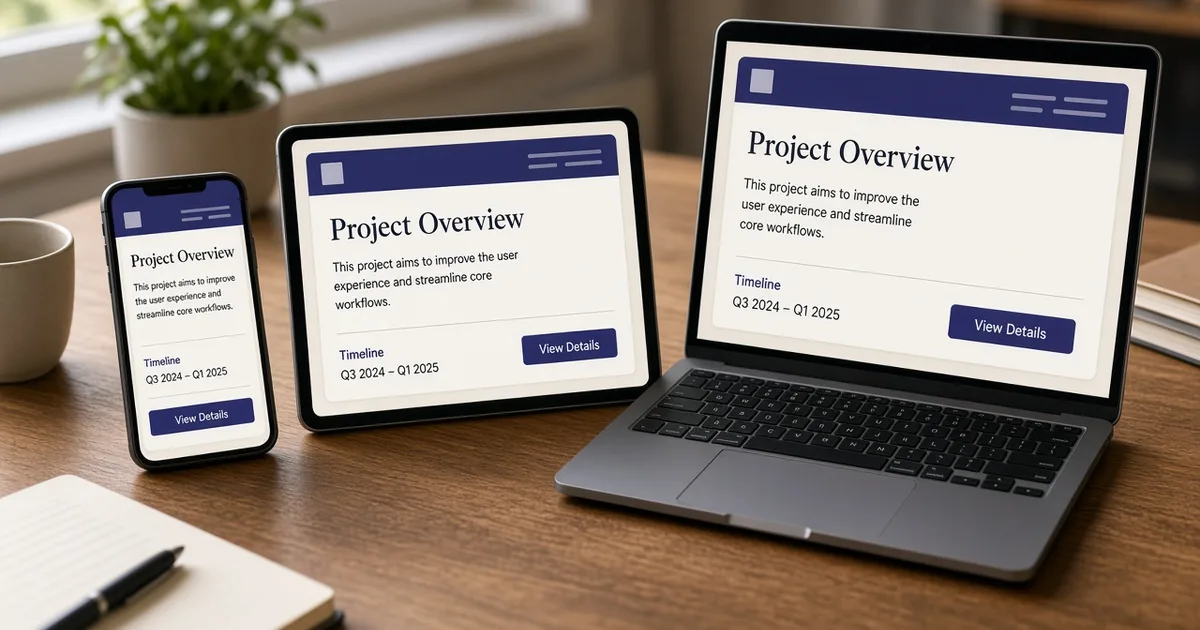
Responsive design breakpoints are the widths where the layout is allowed to change. They are not a list of phones. A Galaxy and an iPhone can share a layout. A layout needs a new rule when a line of text collides, a row no longer fits, or a sidebar starts to crush the article. That width is one of the page's content based breakpoints.
Start with the narrow screen
Mobile first css means the stylesheet describes the small layout first, with no query. One column. Type at a size that fits a 320px width. Buttons in a column if a row of three will not fit. Then add enhancements:
.hero {
  display: grid;
  gap: 1.5rem;
}

@media (min-width: 64rem) {
  .hero {
    grid-template-columns: 1.05fr 0.95fr;
    align-items: center;
  }
}
64rem is 1024px at the default root size. Below that, the hero is one column because that is the base, not because a max-width query undid a desktop grid. This is easier to read. The desktop layout is the exception, written once.
A fluid layout does some of the work before any query. Page padding can use clamp. A card gallery can use repeat(auto-fill, minmax(16rem, 1fr)) so columns appear when there is room, without a breakpoint per count. Breakpoints are for changes in structure: a stacked hero becomes a two-column hero, a compact nav becomes a horizontal nav.
Pick the widths from the content
Resize the browser slowly and watch one component at a time.
- Navigation. Horizontal links plus a button need a row. When they wrap under the logo, that width is the nav breakpoint. On a dense header, that often lands around 768px. If six links collide earlier, the breakpoint moves. The device did not decide it.
- Hero. A text column and an illustration sit side by side only when both have room. Around 1024px is a common place for that switch. Below it, stack them. The illustration can be a shorter block, not a scaled-down desktop composition.
- Cards. Prefer a fluid grid so you do not need 600px, 900px, and 1200px just to go from one column to two to three. Keep a breakpoint only if the card's internal layout changes, for example a horizontal card that becomes vertical.
- Type. A display heading can use
clampso it grows with the viewport. That is not a breakpoint. A breakpoint is a step change.
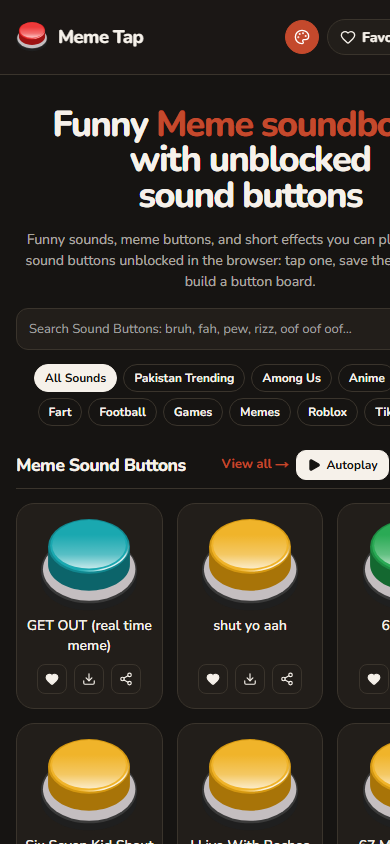
Meme Tap's sound grid is the fluid case: large targets, more columns as the screen widens, the same button in every column. The category chips wrap. Neither needs a query named iPhone 14.
Name a small set and reuse it
Three tokens are enough for most marketing and product sites:
48rem(768px): the row layout for sections that can sit side by side, and often the horizontal nav.64rem(1024px): the two-column hero and denser galleries.80remor amax-widthon the page container: the measure stops growing so lines of text stay readable.
Put those in one file or in the CSS theme. A one-off min-width: 923px inside a component means the layout broke at an unnamed width and nobody left a reason. Either snap it to an existing token or add the token and comment the component that needed it.
What to test
Test the widths just below and just above each breakpoint, plus a truly narrow width (320px) and a wide one (1440px). Look for:
- Horizontal scroll. A single overflowing chip row or a fixed-width card causes it.
- Touch targets that shrink when the row gets crowded.
- Images that jump because they lack a reserved ratio.
- Text larger than the column. Long words and URLs need
overflow-wrapor a smaller size.
Do not test only the three devices in a design handoff. The layout lives between them too. Responsive design breakpoints are those in-between failures, promoted into a few named queries, on top of a fluid layout that already handles the rest.
Questions
- How many breakpoints does a site need?
- Often two or three: one where a single column becomes a row, one where the page reaches its max width, and sometimes one for a dense nav. Add another only when a component actually overflows.
- Should breakpoints match phone models?
- No. Phones overlap. A content based breakpoint is the width where this design stops working, such as when a two-column hero collides or a line of chips wraps badly.
- What does mobile first change in the CSS?
- The base styles are the narrow layout. Min-width queries add columns and horizontal arrangements. You are not undoing a desktop layout inside a max-width query.
Next in the reading path: 7 React Performance Mistakes and How to Fix Them